If a PETG print keeps a surface defect that will not clear, even with the filament dried, the temperature raised and the flow lowered, try switching off a setting whose whole job is to improve overhang quality: slow down for overhangs, in the Speed section. It turns the usual advice on its head, and it costs almost nothing to test.
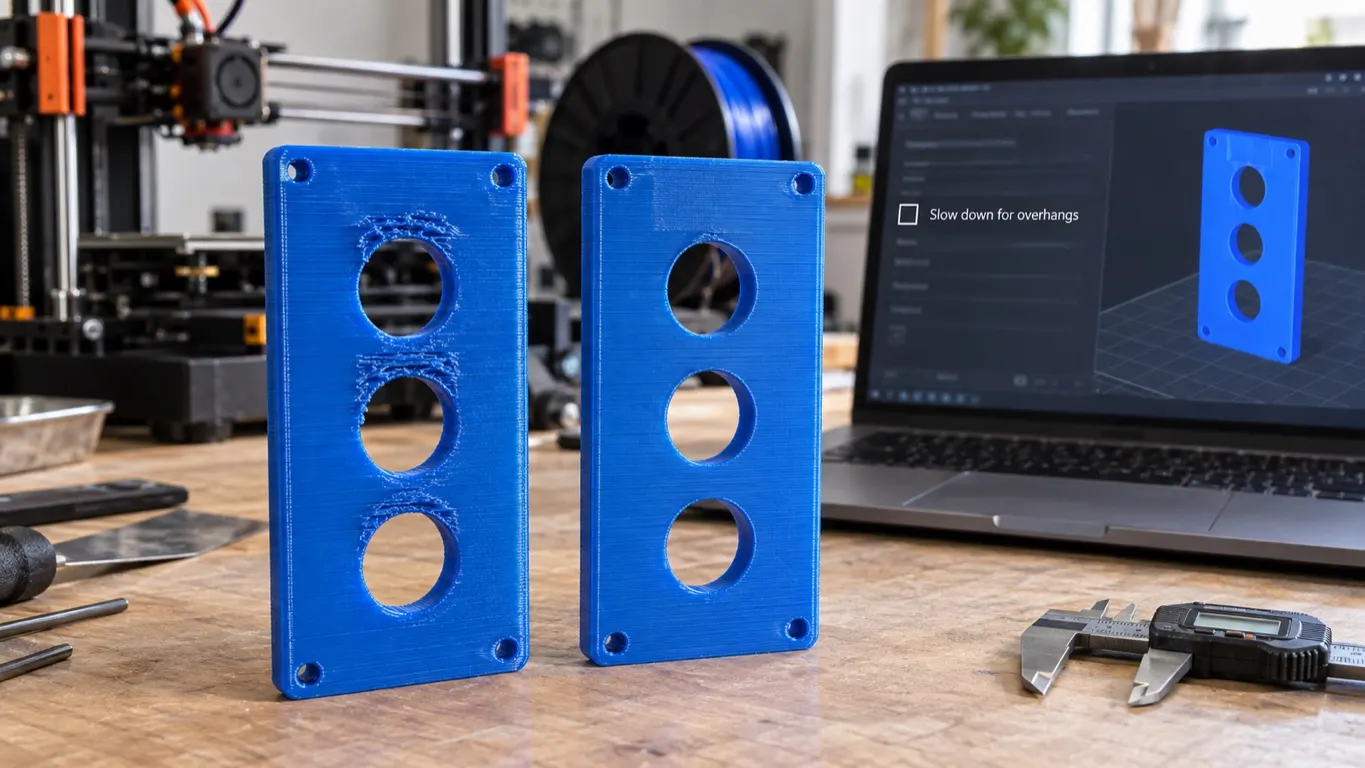
The defect has no settled name. What gives it away is where it shows up: specifically at the top of every one of the holes in the part.
The situation: not the model, the machine and the profile
The setup where it turned up: an A1 combo, the Generic PETG profile, 0.16 optimal settings, freshly dried Overture PETG.
The most useful detail is this: the same model had been printed countless times without trouble on a Prusa and on a Creality, with various PETG filaments. So what changed is not the model and not the material type: it is the printer and the slicer profile that comes with it. If the same file comes out clean on another machine, you start looking at the profile, not at the geometry.
The filament having been dried rules something out too. Moisture is the classic first suspect for a PETG surface defect, and here that suspect is off the table from the start.
What was not enough: temperature and flow
The first route is the usual one: raise the temperature, lower the flow. With the nozzle at 265 °C and max volumetric speed down to 10 mm³/s, the problem still happened, but less often. That half-result is worth writing down, because the most misleading fix is not the one that does nothing, it is the one that does a little. A defect getting rarer convinces you that you are on the right track, and pushes you further down it.
The other fixes suggested for this are scattered: print at 270 °C, bring max volumetric speed down to 6, dry the filament thoroughly, clean or replace the nozzle, move from Generic to Bambu's own PETG profile. The two profiles differ on fan settings: Bambu 10-40%, Generic 40-90%. One view holds that PETG should not be cooled that aggressively; another finds Generic PETG's cooling settings the best. There is no shared view on this.
What max volumetric speed is, and what lowering it changes, is in the volumetric speed article, so it is not repeated here. The point is that squeezing the flow right down still did not clear the defect.
The setting that worked
What ended it was turning off slow down for overhangs in the Speed section.
The setting sits in the Speed section of the process settings. It is the on-off box for the group the overhang article calls Speed → Overhang speed. The wiki says it comes on by default, and that clearing the box hides and disables the overhang speeds under it.
One caveat: the good results came with the default Bambu PETG profile together with the slow down setting turned off, so along with switching the setting off, the profile had also moved from Generic to Bambu's own PETG. Switching it off was not the only variable. If you want to test the setting on its own, hold the profile fixed.
Beyond that, confirmation is thin. In one other attempt it mostly worked, but a brim went onto the same print, so that is not a clean confirmation. This is not a widely tested prescription, it is a setting that solved the problem in one case and partly helped in another. It is worth writing down because it is cheap to try, not because it is guaranteed.
What the setting actually does
According to the slow down for overhang page on the Bambu wiki, with the setting on, the slicer sorts a wall's extrusion lines into groups by overhang degree and gives each group its own speed. Overhang degree is a percentage: 0% means no overhang, 100% means a line the layer below does not support at all, in other words a bridge.
The wiki also gives an implementation detail: working out the degree of every single line would slow slicing down badly, so the slicer samples the overhang degree and splits it into four bands. What follows from that matters: with the setting on, the speed along a wall is not constant, it is stepped. Again per the wiki, the smooth overhang transition speed feature that smooths those steps arrived later, in version 1.9.1. The case where switching the setting off worked predates that release.
Why it backfires: the cause is unknown
Nobody has pinned down the cause. No mechanism has been put forward; all there is is a setting that worked. No source says "here is the definite cause on PETG".
This much can be said: with the setting on, the speed changes over and over along the same wall. Bambu's own release note says those transitions can leave a visible defect: the stated reason for adding smooth overhang speed is precisely "improving the appearance of speed-transition defects". That points at where to look; it does not explain this PETG case.
The location clue, the defect appearing at the top of every hole, points straight at where the setting engages: the tops of holes are regions the slicer counts as overhang. So here the setting seems to have left its mark not somewhere it has no business touching, but exactly where it does. Whether the top of a hole counts as a bridge or an overhang is a separate matter, and it is in the bridge section of the overhang article.
There is a separate record of the setting touching surfaces with no overhang on them: Bambu Studio's GitHub repository has a December 2023 bug report about flat vertical side surfaces coming out badly while slow down for overhangs is on. It is labeled a back-end bug, never closed but long inactive. It does not say why either.
What to try, in order
- Turn slow down for overhangs off, reslice, print the same model. Make that the only variable; if you move temperature at the same time you will not know which one solved it.
- If it is fixed, you are done. If not, turn the setting back on, because keeping it off has a price, described below.
- Go back to temperature and flow: the individual values that come up are 265 and 270 °C at the nozzle, and 10 and 6 mm³/s for max volumetric speed.
- Move off the Generic profile to a brand-specific one, or build your own. The filament profile article covers how.
What switching it off costs
Switching it off is not free. The "2. Speed" section of the overhang article gives slowing down over an overhang as a fix, and the general rule still holds: giving the plastic time to set reduces droop. This case is the exception to that rule. When you turn the setting off, the brake that engages over real overhangs goes with it, and overhang quality can suffer.
So this is not a "keep it off always" recommendation. On a part with few overhangs it costs almost nothing. On a part full of them there is a trade: a clean flat surface, or a clean overhang. The cooling and orientation routes in that same article fix droop without touching this setting at all, so work through those first and leave this one for last. You give up less that way.
The general lesson runs bigger than the setting itself: an option can be there as an improvement and still spoil the job on a particular material. Profile settings behave differently from material to material, and a value in the Generic PETG profile is often there because it is the default, not because someone measured it for PETG.