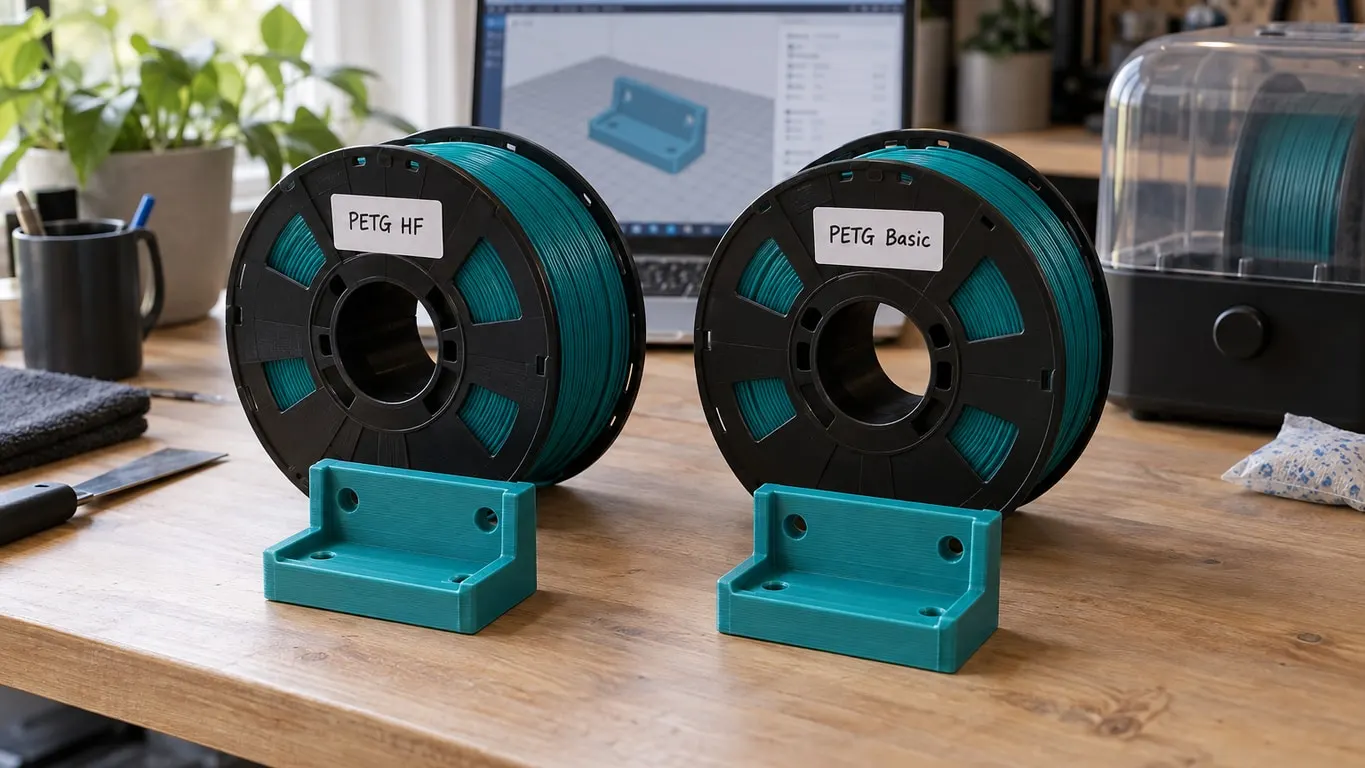
PETG HF is Bambu Lab's high-flow PETG, launched in summer 2024 and, as of this writing, marked discontinued on the US store. It uses the same printers, plates and process profiles as PETG Basic; what separates the two is the filament profile, and the biggest line in it is Max volumetric speed: on an X1C the HF profile allows 21 mm³/s where Basic stops at 15. The rest is a few degrees of temperature, two seconds of layer time and a stricter drying rule.
The profile values, printer by printer
Both families inherit from the same base file, fdm_filament_pet, in the Bambu Studio profile repository; the per-printer files set what matters. Standard 0.4 mm nozzle, repository as of October 2026:
| Setting | X1C, P1S, P1P | A1 | H2D |
|---|---|---|---|
| Max volumetric speed, HF | 21 mm³/s | 18 mm³/s | 25 mm³/s |
| Max volumetric speed, Basic | 15 mm³/s | 13 mm³/s | 18 mm³/s |
| Nozzle temperature, HF | 245 °C (230 first layer) | 240 °C (230 first layer) | 245 °C |
| Nozzle temperature, Basic | 255 °C (245 first layer) | 245 °C | 250 °C (245 first layer) |
| Layer time (Max fan speed threshold), HF | 10 s | 7 s | 10 s |
| Layer time, Basic | 12 s | 12 s | 12 s |
| Overhang fan speed | HF 100%, Basic 50% | same | same |
The fan range is identical (20-40% on X1C, 30-50% on A1, 20-30% on H2D), and so is Flow ratio at 0.95 (0.94 on the A1). With the High Flow hotend on an X1C, HF goes to 29 mm³/s while Basic stays at 15.
Two things stand out. First, 21 mm³/s on the X1C is the cap Bambu gives PLA Basic, which is what "the PETG that prints as effortlessly as PLA" means in profile terms; the flow rate article has those figures. Second, Basic has moved. The v01.09.04 tag from August 2024 put PETG Basic at 13 mm³/s on the X1C and 9 on the A1; the store now sells Basic as an "all-new" formula, and a single commit on October 30, 2025 raised the profile to today's 15 and 13. The gap is narrower than it was at launch.
Twice as fast, or 12 percent
The store page says HF is twice as fast as standard PETG, with a footnote that reaching that speed depends heavily on model size and geometry. Two times circulated at launch as Bambu's own comparison print, 4 h 52 min with PETG Basic against 2 h 45 min with HF, are not on the store page today and cannot be traced to an official source.
A more typical result: one model sliced with the same Standard process, switching only the filament from Basic to HF, dropped from 4 h 46 min to 4 h 13 min. That is 33 minutes, close to 12 percent, a single case, and what the profiles predict: the process profile does not change, so the only lines that get faster are the ones pinned to the flow cap, meaning wide infill and thick walls. On a small or thin-walled part the limit is layer time, not flow, and there HF's X1C profile holds each layer to 10 seconds against Basic's 12. The layer time article explains that brake.
To see where a gain would come from, slice once with each filament and compare the Line Type breakdown in Preview: the rows that shrink are the ones the flow cap was holding.
Strength: what HF gives up
The flow headroom is paid for in the material. Put the two side by side on Bambu's own PETG Basic page and HF loses every row: bending strength in XY is 75 MPa for Basic against 64 for HF, in Z it is 56 against 48, and impact strength in XY is 34.2 against 31.5 kJ/m². The profile files carry the same signal in two fields: HF is the denser material at 1.28 g/cm³ (Basic 1.25), and its Z-direction impact value is 10.6 where Basic has 13.6.
Drying, and the end of HF
HF also asks more of you before the print starts. In the Bambu wiki's material table PETG is a "Recommended" dry, HF a "Required" one, and the desiccant rule during printing moves from optional to required as well:
| PETG (Basic) | PETG HF | |
|---|---|---|
| Drying before use | Recommended | Required |
| Blast drying oven | 70 °C for 8 h | 65 °C for 8 h |
| AMS 2 Pro or AMS HT | 65 °C for 12 h | 65 °C for 12 h |
| Desiccant during printing | Optional | Required |
The store pages put it in hours: the HF page wants the spool kept dry through the print, with jobs over 6 hours singled out, while the Basic page only calls for drying after 72 hours above 50% relative humidity. Nozzle ranges on the wiki are 240-270 °C for PETG and 230-260 °C for HF, bed 60-80 °C for both. The wiki's separate drying page gives 60-65 °C for PETG in an oven, so the two wiki pages disagree.
And there will be no more of it. The US store lists PETG HF as discontinued, with no restock once stock runs out, and points buyers to the new PETG Basic. Spools already on the shelf keep printing, since the profile is not going anywhere; the next purchase is the new Basic, whose X1C profile now allows 15 mm³/s.
PETG HF not showing in Bambu Studio
Nothing is wrong with your install. The PETG HF profiles travel as a configuration package, separate from the application, and Studio only installs a package after you say yes to it. Reinstalling does not help, because the installer carries the package of its own release.
Work through these in order:
- Let Studio fetch the package. It checks Bambu's server at startup when Auto check for system presets updates is ticked on the User tab of Preferences. Stay online and restart Studio.
- Accept the prompt. On 1.10.0 and later a Configuration update dialog opens on its own shortly after launch, once the background sync finishes, with "A new configuration package available, Do you want to install it?", the package version, a change note, OK and Cancel. On the 1.9 releases that were current in July 2024 (1.9.3.50 among them) you first get a bottom-right notification, Configuration can update now., and Detail. opens that same dialog. Press OK even if the change note only mentions another material; one package whose note talked about ABS still delivered PETG HF. Cancel keeps the profile hidden until the next launch, when the prompt returns.
- Enable the profile. A package that is installed but not enabled still leaves the dropdown empty. At the bottom of the filament dropdown in the left panel, Add/Remove filaments opens Filament Profiles Selection, filtered by Printer:, Type:, Vendor: and Profile:, with All and None buttons. Tick PETG HF under Bambu Lab. A profile that does not match the selected printer is hidden entirely; the filament profile article covers that case.
- Then the AMS. If the AMS read the spool's RFID and showed PETG, and the slot turned to "?" and white once Studio connected, that pattern from August 2024 points at a Studio without the profile overwriting what the AMS reported; the mechanism is not verified in the source. Installing the package fixed it in the reported cases, and one of them also needed an AMS firmware update before the slot settled. Assigning PETG HF by hand on an X1C produced the same flip about a minute later.
For the record: the PETG HF profiles entered the Bambu Studio GitHub repository on August 26, 2024 and shipped bundled with 1.9.4.60 the same day. 1.9.3.50 does not contain them but receives them through the package.
A slot that is gray in the print window is a different problem, caused by a slice produced for another material; the gray AMS slot article handles that one.