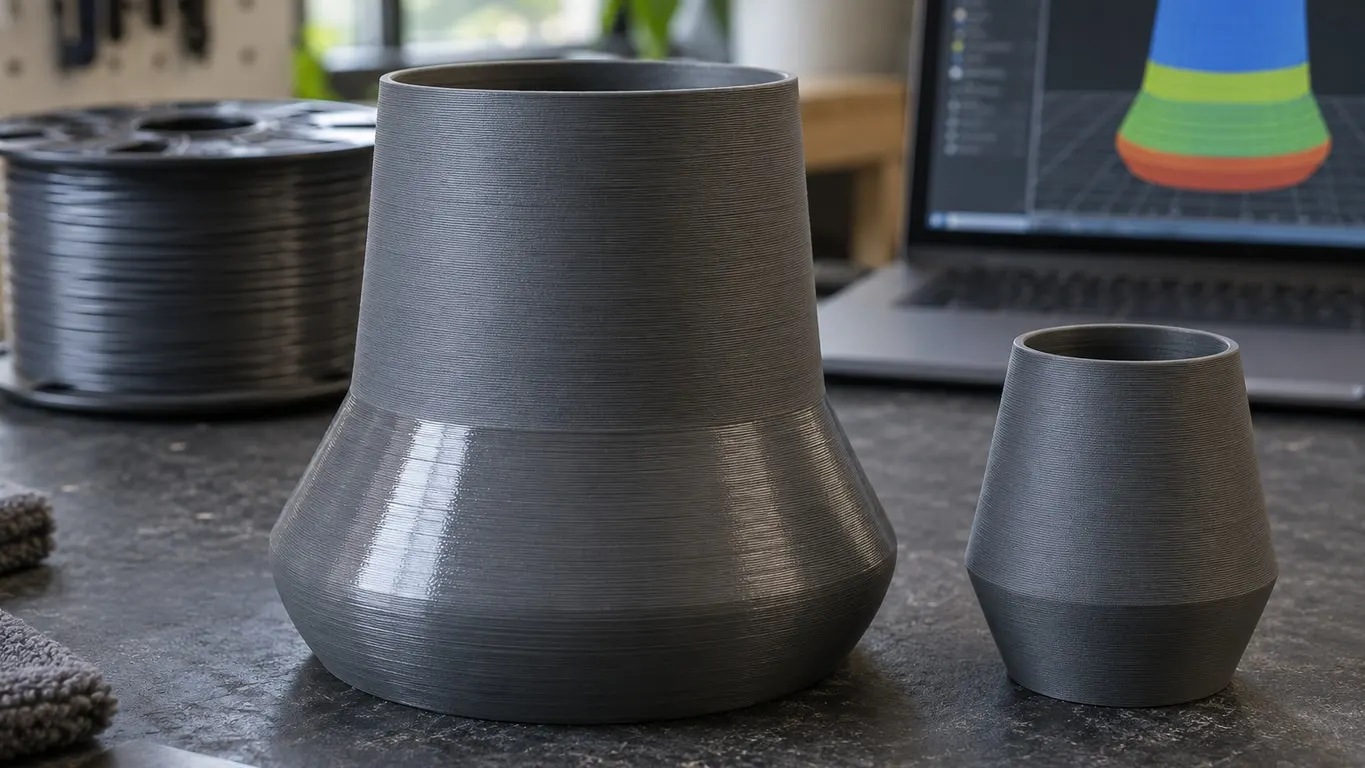
Matte PLA printing shiny in a band, or glossy PLA turning flat partway up a part, can line up with a change in outer wall speed. Bambu's silk filament guide says so directly: if outer wall speed swings between fast and slow, the same model can look brighter in some regions and duller in others.
Either run the outer wall at one speed, or give the fast sections enough heat to finish like the slow ones. Start in Preview.
Five things to try, in order
- Spool sat out for a while? Dry it first.
- In Preview, pick Speed under Color Scheme and check whether the outer wall changes color at the layer where the finish flips.
- Change where a slope meets a vertical wall: the overhang slowdown. Lower Outer wall toward the overhang speeds, or test once with Slow down for overhang unchecked.
- Change on a narrow top section: the layer time floor. Check Don't slow down outer walls on the filament's Cooling tab.
- Keeping the speed? Raise the nozzle temperature within the filament's range and print a short test.
What the sources say about speed, heat and sheen
Take a May 2023 example from the glossy side: eSun PLA Pro through a 0.4 mm nozzle at 220 °C. Its 45° overhang ran at 90 mm/s and stayed glossy; the vertical walls that followed ran at 172 mm/s and turned matte. In a test block the nozzle went to 230 °C and the two finishes matched. One filament, one printer: useful for the direction only.
Bambu's PLA Silk guide explains why. A slow outer wall gives the plastic time to level; too fast leaves fine roughness that scatters light and reads as less gloss. A moderately hotter nozzle, it adds, helps the plastic melt completely and flow evenly.
Protoplant, the company behind Proto-pasta, landed in the same place in a May 2024 write-up. Its own HFPLA, HTPLA and PLA, it notes, can all go somewhat matte at a high volume rate and a low temperature. For the matte cMatte the company printed towers on a Bambu P1S with flow stepping from 2 to 24 mm³/s in 2 mm³/s increments, at 200 °C and again at 240 °C: the hotter tower came out glossier at the lower rates. Even at 240 °C, cMatte stayed less glossy at low flow than HFPLA, so the direction holds for a matte filament too.
You will also run into the reverse advice, that more heat flattens the finish. Neither Bambu nor Protoplant backs it up. The popular explanation for fast sections, a melt that runs cooler, is reasonable but nobody has measured it. Treat speed and temperature as a pair: change either one and the sheen can move.
The slowdowns Bambu Studio adds on its own
Bambu Studio slows the outer wall on its own in two cases. The first is the layer time floor, and it bites on parts that get smaller toward the top. With Slow printing down for better layer cooling on (filament settings, Cooling tab), Bambu Studio stretches any layer that would beat the Layer time listed in the Max fan speed threshold row: 4 seconds in the X1C profile for Bambu PLA Matte, 6 seconds on the A1. A slower outer wall up there may well print shinier than the walls below it. The layer cooling slowdown article walks through the mechanism.
Don't slow down outer walls, in the same group, targets this problem. With it on, the outer wall is not slowed to meet the layer time, and the 2.3.0 release notes introduce it for surface consistency with Silk and glossy materials. You need advanced mode to see it, and it grays out when Slow printing down for better layer cooling is unchecked. Bambu's silk guide also has you turn on Develop mode in Preferences, the only way Cooling slowdown logic shows up, and set it to Consistent surface, which slows infill and inner walls first; the 2.5.0 release notes list it as experimental.
The second is for overhangs, which that box leaves alone. Slow down for overhang sits on the process Speed tab and is on by default. Here it is in the X1C 0.20mm Standard profile, flow figured for a 0.42 mm line and 0.2 mm layer (the flow rate article has the formula):
| Wall | Speed | Flow |
|---|---|---|
| Outer wall | 200 mm/s | 16.8 mm³/s |
| Overhanging 25-50% of line width | 50 mm/s | 4.2 mm³/s |
| Overhanging 50-75% of line width | 30 mm/s | 2.52 mm³/s |
That is more than a fourfold change in flow on one visible surface. Preview will read a little lower (about 15.1 mm³/s at 200 mm/s) because Bambu Studio models the line as a rectangle with rounded ends; the ratio stays the same. To narrow it, lower Outer wall; Bambu suggests 40-60 mm/s for silk, starting at 50. Turning overhang slowdown off evens the speed too, but a steep overhang may suffer; test first. Preview's Flow color scheme (Volumetric flow rate (mm³/s)) shows the boundary too.
Smoothing wall speed along Z(experimental), in the Advanced group of Quality, costs print time and does nothing in spiral vase mode; its effect on gloss is not documented. The 2.0.0 release notes introduce it to reduce surface unevenness where speed changes sharply.
Raising the temperature or capping flow
If slowing down costs too much time, work on the fast sections instead. The speed fields are only half the picture, because the filament profile carries its own flow ceiling: Max volumetric speed, in the Volumetric speed limitation group. For Bambu PLA Matte it is 22 mm³/s on the standard X1C and P1S hotend, 29 on High Flow, and 25 for the H2D's standard 0.4 mm nozzle. Any line that would go past it gets slowed, so a lower cap pulls the fastest walls back toward the slow ones. Read the number for what it is, the most plastic the hotend can melt and push, not a point where the finish stays even. Where your spool's sheen turns is something only a test print will tell you.
With a Bambu printer selected, the top Calibration menu only appears once Develop mode is on; the Calibration tab does not carry this test. Its Max flowrate test, under More..., prints a single-wall spiral vase tower with flow rising by height, so the sheen turn shows up there too.
The other lever is heat. Bambu's PLA Matte profile runs 220 °C with a 0.4 mm nozzle on the X1C, P1S and H2D. Find a new value with a temperature tower printed at one speed. If only the upper part needs it, see changing temperature at a layer. Bambu gives High Flow hotends a higher flow ceiling; what that does to gloss is not documented.
Same speed, different sheen
If the outer wall holds one speed right across the boundary, look elsewhere:
- Dry the spool. Bambu's silk guide lists uneven gloss right next to stringing as a sign of damp filament, and gives 55 °C for 8 hours in a drying oven.
- Watch the fan. Switch Preview to Fan Speed. Between Min fan speed threshold and Max fan speed threshold the fan scales with layer time, so it can shift where the model narrows. A gloss effect is not documented, so file it as something to rule out.
- Check the geometry. Per the same guide, a curved surface printed lying down shows more layer lines and less gloss, so a slope change alone can catch the light differently.
- The whole part is shiny. In Protoplant's test, low flow and high heat raised the gloss; check whether you are running above the profile's 220 °C or crawling on the outer wall.