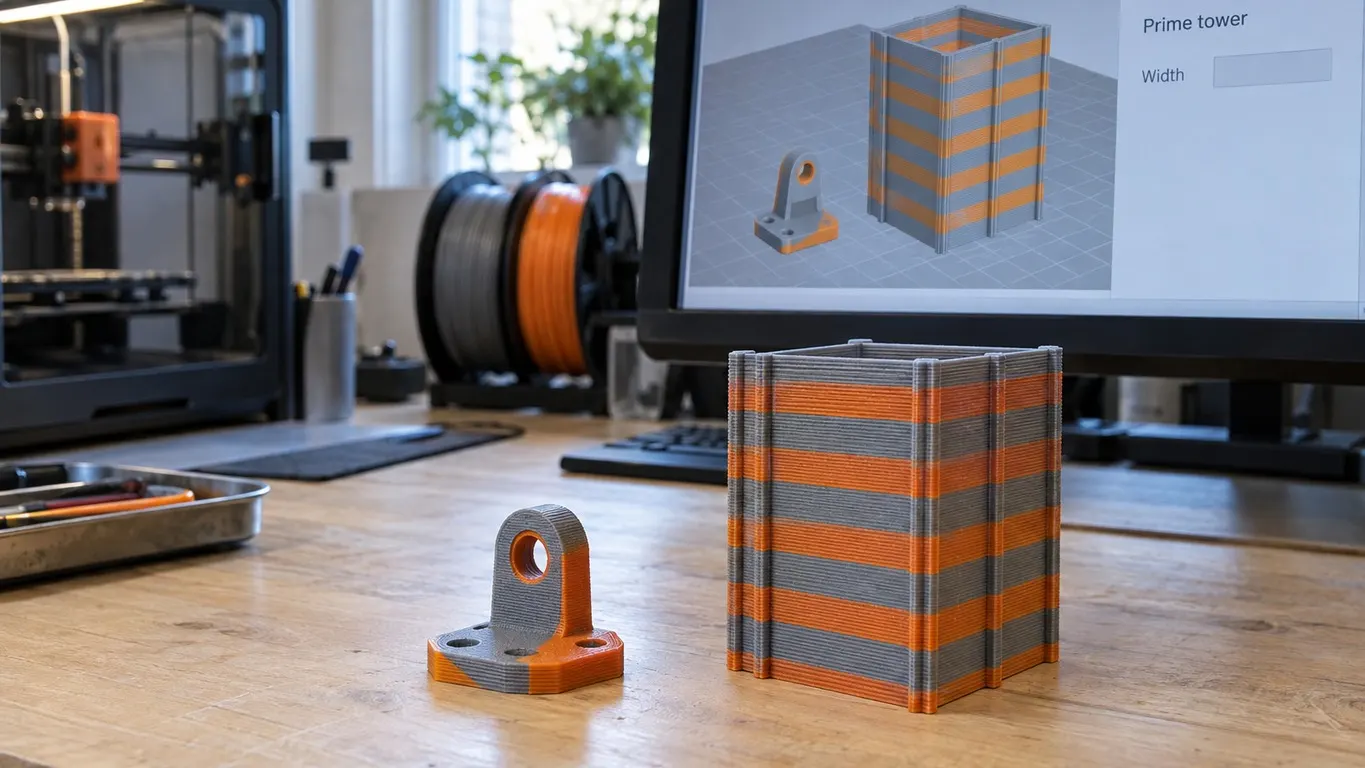
On the Bambu Lab forum in November 2025, a user called S1lent posted the arithmetic that brings most people here: a part that needs three hours, and an estimate of nineteen once the prime tower is added. On a dual nozzle machine the tower can easily outweigh the model it is there to serve. So the question people type into a search box is the right one: why is the prime tower so big, and why will the Width box no longer take a number?
Those are two questions with two different answers, and both of them are readable in Bambu Studio's open source repository. The short version first. The footprint does not come from Width at all. It comes from the depth reserved for every filament or nozzle change, and that depth is worked out from settings that live on a different tab entirely.
Priming and flushing are not the same job
The source treats them as two separate quantities, and mixing them up means turning down the wrong number.
Priming is the material laid onto the tower to get a nozzle ready to print. The fields are called Filament change and Hotend change, and the keys behind them are filament_prime_volume and filament_prime_volume_nc. Flushing is clearing the previous color out of the nozzle, and its volume comes from the per pair table behind the Flushing volumes button, multiplied by the Multiplier field in that window, not from any prime setting.
The distinction has a consequence you can act on. In the source, the tower's depth is built from the prime volume and the ramming length, and then scaled by the Infill gap percentage. The flush volume never enters that calculation: it is handled separately, and it can be sent into infill, into support, or into a nominated object. On 23 December 2025 the user MK4S_H2D put the same split in one line on the forum:
For priming I guess it is not ideal to do that into the infill. For flushing, yes, it is possible and can be enabled in the process settings.
With no AMS and no second nozzle there is no tower at all, because you are swapping spools by hand at chosen layers. That route has costs of its own, covered in multi-color without an AMS.
Where the numbers actually live
Not on the Process tab. All four sit on the Filament tab, in the Basic information group, as two rows of two fields each.
| Field | Row | Key | Default in source |
|---|---|---|---|
| Filament change | Filament prime volume | filament_prime_volume | 45 mm³ |
| Hotend change | Filament prime volume | filament_prime_volume_nc | 60 mm³ |
| Extruder change | Filament ramming length | filament_change_length | 10 mm |
| Hotend change | Filament ramming length | filament_change_length_nc | 10 mm |
Two things about that table are worth knowing before you touch it. The numbers are the program's defaults and the filament preset overrides them, but the override is narrower than it looks: Bambu PLA Basic only pulls the Filament change prime volume down to 30 mm³ and the Extruder change ramming length to 5 mm, 4 mm in its H2D variant, leaving the Hotend change pair at 60 mm³ and 10 mm, which is exactly what the screenshot in the thread shows. Visibility differs between the two rows as well: the prime volumes are marked simple and show at every mode level, the one exception being the H2C, where picking Prime Saving under the Purge mode button pins both volumes to 15 mm³ and disables the fields. The ramming lengths are marked advanced and need the Advance switch above the parameter panel, which is the grain of truth in the forum remark about enabling advanced settings.
One more setting comes up in the thread, length when change hotend, and that one really is develop level. It lives under Filament → Setting Overrides → Retraction, and it only appears once Develop mode is ticked under Developer Mode on the Other tab of Preferences. It is not a ramming length: it is how much filament is pulled back inside the hotend before a hotend swap.
Because all of these belong to the filament preset, changing them dirties that preset and saving writes them into it. Saving a filament profile and then finding it again is its own small maze, described in the filament profile article.
The Width box that will not take a number
Width sits in Process → Others → Prime tower and defaults to 35 mm. There is exactly one condition that grays it out, and it is a single line in the source: if Rib wall in the same group is ticked, Width is disabled. Rib wall ships on, so most people meet the box already gray without having changed anything.
The setting says so itself. Four ribs are added to the tower wall and the cross section is pushed as close to a square as it can get, "so the width will be fixed". The slicer follows through. With the ribbed wall on it totals the depth it needs, multiplies that by the width in the box to get an area, and sets the new width to the square root of it. The number in the box feeds the sum and then gets overwritten by it.
Untick Rib wall and Width becomes editable again. Set your expectations properly, though. Depth in the source is the required extrusion length divided by the width, so narrowing the tower simply makes it deeper. The footprint and the filament spent stay roughly where they were; only the shape moves.
There is a second multiplier sitting in the same group. Infill gap defaults to 150% and is an advanced level setting. In the source it sets the spacing between the tower's lines, and the required depth is counted in those line gaps, so the percentage scales the footprint directly. The floor is 100%, which packs the lines solid and takes roughly a third off the depth. It does not change how much filament goes into the tower, only how much plate it stands on.
One version note. In 2.4.0.70, the build the thread's screenshots came from, Rib wall was a simple level setting; in the current source it is marked advanced. If you cannot find the checkbox, turn Advance on first.
What the thread actually tried
None of the numbers in that thread are Bambu recommendations. They are two users reporting what they typed in, so they are worth keeping attached to their authors.
| Who | Setting | Default | Entered |
|---|---|---|---|
| MK4S_H2D, 20 Nov 2025 | Hotend change, prime | 60 mm³ | 20 mm³ |
| MK4S_H2D, same post | Hotend change, ramming | 10 mm | 5 mm |
| S1lent, 22 Nov 2025, 0.2 mm nozzle | prime fields | 60 and 45 mm³ | 1 mm³ |
| S1lent, same post | ramming fields | 10 mm | 2 mm |
MK4S_H2D notes that the values in their screenshot are the stock ones, and the arithmetic backs that up: a third of 60 is 20, half of 10 is 5. Their verdict is that it cuts tower material significantly with no negative effect on their own print quality, with one caveat attached, that they keep their filament dry both while printing and in storage.
S1lent, working with a 0.2 mm nozzle, could not get anywhere near an acceptable tower on those figures and went down to 1 mm³ and 2 mm, lowering Filament change and Extruder change by the same logic. They report two clean prints in PLA Matte and PVA. Later the same day MK4S_H2D adds that they run the reduced values on both 0.4 and 0.2 mm nozzles and still consider the priming excessive.
One floor sits below all of this and ignores the prime volume entirely. In the source the minimum tower depth is tied to tower height: 5 mm of depth at 5 mm tall, 20 mm at 100 mm, 40 mm at 250 mm, 60 mm at 350 mm, interpolated in between. However far you take the numbers down, the tower beside a tall part will not go under that.
Treat all of that as a starting point rather than a recipe. The floor in the source is 1 mm³, so there is room to go low, but the tower is also where the nozzle gets itself back in order. If color bleeds into the first lines of the model or extrusion starts thin after a change, the number went too far down.
Sending the flush somewhere other than the tower
A third user asked the obvious question on 28 November: instead of printing a tower, could the nozzle be cleaned by printing the infill? Half of that is already shipping, because the flush can indeed be redirected.
The controls are in Process → Others → Flush options:
- Flush into objects' infill, off by default. Its own description carries the warning: with transparent walls, the mixed color infill shows from outside. Infill printing through the top surface is a different problem, covered in infill showing through.
- Flush into objects' support, on by default.
- Flush into this object, which never appears on the global process page. The source only builds that line for object settings, so you reach it by flipping the Global / Objects switch at the top of the panel to Objects and selecting the object.
All three are dead while the prime tower is off, since each of them is tied to the Enable checkbox in the source.
What they do not do is shrink the tower, for the reason given above: tower depth is not computed from the flush volume in the first place. What they do is stop the purged material becoming waste, by burying it inside a part you were printing anyway. Tower plus purge is one of the quiet line items in the cost of a print, and the full arithmetic is in what a print really costs.
One nozzle and an AMS is a different machine
The thread runs on an H2D, but most readers have a single nozzle with an AMS behind it, and the source draws a line between the two.
Ramming, meaning the Extruder change and Hotend change lengths, only fires when the two filaments are not on the same nozzle. On a single nozzle printer every filament is on the same nozzle, so ramming never triggers and those two fields add nothing to the tower. The prime volume in play is Filament change, never Hotend change.
That leaves one number to tune on a single nozzle machine with an AMS. On a two nozzle machine like the H2D a change can cross from one nozzle to the other, which brings the Hotend change fields and the ramming length into the sum, and that is why both forum users ended up lowering all four.
Nozzle diameter multiplies all of this, though not the way you would guess. The source divides the volume by layer height times line width to get the path, then counts depth as the number of lines times the line width, so line width largely cancels itself out. Layer height is what is left: at the 0.1 mm layers a 0.2 mm nozzle usually runs, the same cubic millimetres need roughly twice the depth. That is a large part of why 20 mm³ was nowhere near enough on the smaller nozzle.
The short answer is two numbers, a percentage and a checkbox, and none of them is Width. Prime volume and ramming length on the Filament tab decide how much tower gets built, Infill gap decides how much plate it covers, Rib wall decides whether you may type a width at all, and the flush options trim waste rather than the tower.