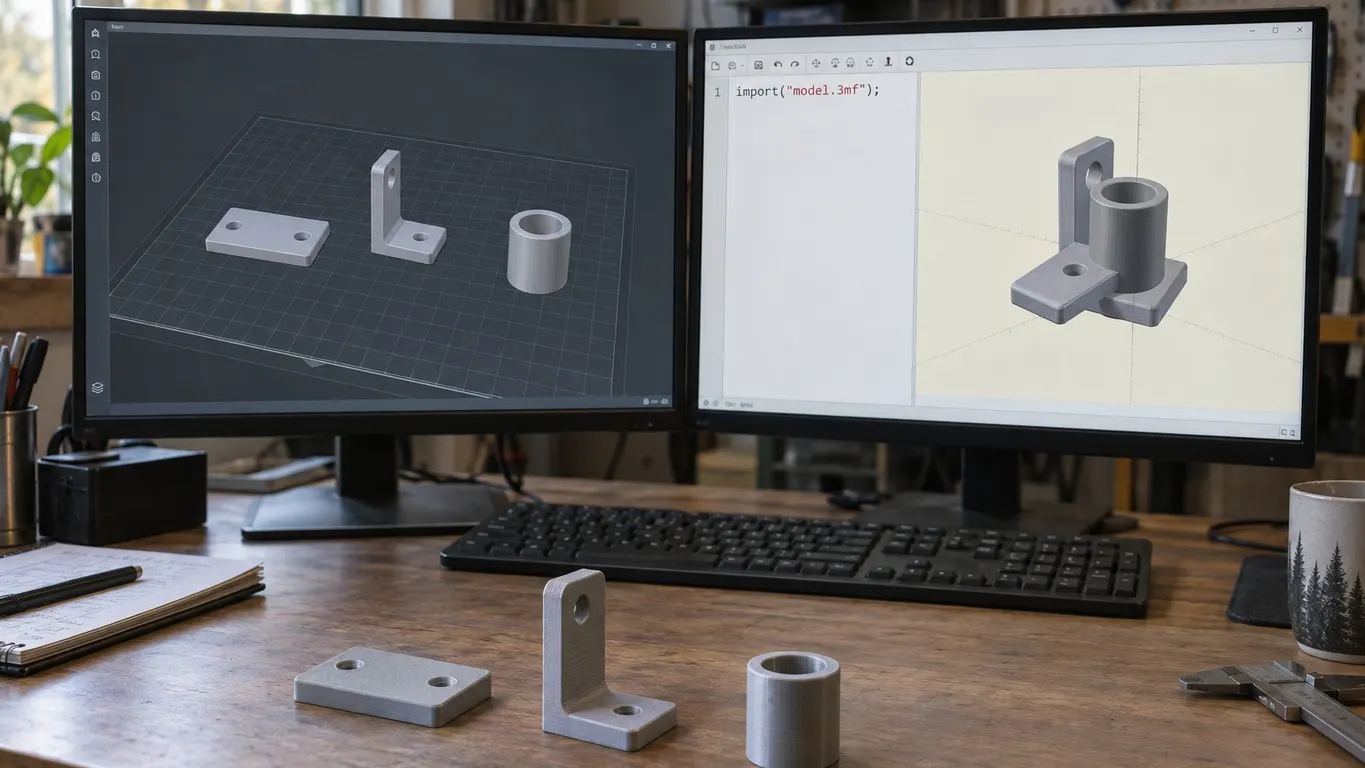
You write import("model.3mf"), point it at a project saved in Bambu Studio, and the three parts you had neatly spread across the plate come in piled on one spot. The file is not corrupt, and nothing about the syntax is wrong. The placement data is right there in the archive. OpenSCAD simply never looks at it.
That is the September 2024 Bambu Lab forum thread "OpenSCAD, Bambu Studio and .3mf files". The person who opened it had printed a three-piece nozzle cleaner, saved the plate as a project, and wanted to tweak the dimensions:
It renders as 3 discrete parts in Bambu Studio no problem. When I opened the same .3mf file in openscad all 3 parts were stacked on top of each other.
Worth saying up front: the thread is marked solved, but the solved marker sits on the poster's own post explaining why they picked OpenSCAD, not on any technical answer. What follows comes from four different repliers, checked against the 3MF specification and the source of both programs.
There is no Import menu, and that is fine
The syntax answer in the thread is short:
The code syntax is import("model.3mf", convexity=3); The convexity parameter is optional and only affects preview rendering. There is no import menu as that is not how the OpenSCAD solution works.
The OpenSCAD manual agrees on convexity: it exists so the object displays correctly in OpenCSG preview mode and has no effect on the final render. The manual's own advice is to set it to 10 and stop worrying.
There is a version floor. The line "import() now supports SVG, 3MF and AMF" appears under the 2019.05 heading in OpenSCAD's release notes, so anything older than May 2019 will not read a 3mf at all.
The claim about the menu deserves one footnote. There is no Import entry in the menu bar, true, but OpenSCAD's source keeps a table mapping file extensions to ready-made statements, and 3mf maps to import("..."). Drop a .3mf onto the OpenSCAD window and the program types that line into the editor for you. File > Open runs through the same code. The only friction is the open dialog's filter, which lists *.scad and *.csg only; type the filename yourself, or use a wildcard, and you get the same generated line.
Where the placement goes
The poster's own diagnosis, posted the next day, was a guess:
Thinking about it some more I suspect that there is no orientation data for each part and to make it work in OpenSCAD I would need to bring each part over individually, plug in some orientation data for each part so it doesn't default to the center point.
Half of that is wrong, and it is the important half. The orientation data is in the file.
The 3MF core specification closes a model file with a <build> block holding one <item> per object to be produced. Each item may carry a transform attribute, a 4x4 affine matrix, and the specification is not gentle about it: a consumer must apply the transform before outputting the object. Your plate layout does not live in the vertex coordinates. It lives in that matrix.
Bambu Studio writes it. The function that emits the build block in its 3mf exporter prints objectid, transform and printable for every item, with no branch that skips the transform.
OpenSCAD 2021.01, released in February 2021, never reads it. Its 3mf importer asks lib3mf for the list of mesh objects, walks their triangles, and copies vertex coordinates straight into its own geometry with no matrix in between. The build block is not touched. Every object therefore arrives at its own local origin, which is precisely the pile the poster described.
The gap was closed in the development branch on 25 December 2024 in a commit titled "Read build-items and transformation matrices", but it never reached a stable build. The newest stable release on OpenSCAD's own download server is still 2021.01, and the code that reads build items ships only in the nightly development snapshots. In September 2024, when the thread was live, no OpenSCAD at all understood those matrices.
Project file against generic 3mf
A third reply offers a different route:
...bbl also has a generic 3mf export, which may work better for you.
That menu item is real: File > Export > Export Generic 3MF. What separates it from a saved project is in the 3mf notice article; what matters here is what changes inside the archive, because that is all OpenSCAD ever sees. Save Project and Save Project as write with the 3MF Production Extension: the model file's root tag gains requiredextensions="p", and each object's triangles move into their own model part under 3D/Objects. What stays in the main model file is a component line carrying a p:path attribute that points at that part; the build item itself holds only the object id and the transform. Generic export skips all of that and writes one plain model file.
This matters more than it sounds, because the specification says a model file declaring a required extension you do not support must not be processed. A Bambu project file can legitimately shut the door on a program that has never heard of the production extension.
But the honest conclusion runs the other way for this particular problem. Generic 3mf does not cure the stacking. It writes the layout in the same place, the build item's transform attribute, and 2021.01 still ignores that place. Generic export buys you broad readability, not this specific fix.
Exporting one part as STL
The first reply in the thread went for the pragmatic route:
An easier approach would be to load your 3MF file and then right-click and export your model into a separate STL. Then you can import it back into SCAD.
Nothing in OpenSCAD will undo the pile for you on 2021.01, so the fastest fix is to stop handing it a 3mf. The source backs the reply up: right-click a single selected object, either in the 3D scene or in the object list on the left, and the object menu carries Export as one STL, enabled when the selection is one full object or one full instance. Select several objects and a different menu opens: there Export as one STL switches to the multi-selection form and Export as STLs joins it.
For all three at once, File > Export > Export all objects as STLs asks for a directory rather than a filename, then writes each object to its own .stl named after the object, appending a number in parentheses if the name is taken.
Its neighbor Export all objects as one STL merges every object, instance transforms applied, into a single mesh. On placement the two behave the same: the multi-file export also writes each object with its instance transform applied, so three files called from three import() lines land in the right places relative to each other. What the single-STL route changes is not the arrangement but the count: everything becomes one solid, with nothing to move independently.
A mesh is not a model
Even with the positions right, what you have in OpenSCAD is a mesh. When the importer finds more than one mesh in a file it unions them into a single body before handing it back, which is true of 2021.01 and of the current development branch alike. One import() line will not give you three objects. Three objects means three files and three lines.
The editability side is blunter still. In February 2026 a user arrived in the same thread unable to change the parameters of a parametric screw generator they had downloaded. The reply:
Neither Studio nor Handy can use parametric designs
Download the STL/CAD file, then open it in OpenSCAD to adjust parameters.
The .3mf files contain only models for fasteners of specific sizes.
Triangles come out of a 3mf. Dimensions and parameters do not. If resizing is the whole job, scaling in the slicer is usually the shorter road, and those tools are in the rotate and scale article.
One more warning from the thread:
Openscad works fine, but half of the stl's you find on line, and create yourself will be broken - they sort of work on slicers, etc, but if they have holes, you need to fix them for openscad.
The OpenSCAD manual lands in the same place: an imported mesh can preview perfectly well, but if it is not manifold, the moment you combine it with anything you get a CGAL assertion error, or the object vanishes from the output entirely. Getting the STL out is not the end of the job. Do not confuse it with the slicer skipping thin walls either; that is a different failure, covered in the thin wall article.
The order to work in
- Want the parts separate? Export them with File > Export > Export all objects as STLs, then give each file its own
import()line. The plate position rides along in each file's geometry. - Want one body? Use Export all objects as one STL. Same arrangement, one solid, nothing to move on its own.
- Set on using the 3mf? Check your OpenSCAD version first. 2021.01 does not read build items; a nightly snapshot does. Arguing about the behavior without knowing the build is wasted breath.
- Budget time for mesh repair. A model that previews cleanly can still disappear at the first boolean.
- Revisit the tool choice separately. Most of the thread drifted into whether OpenSCAD was the right program at all; which program does what is laid out in the software article.
One line gets a 3mf into OpenSCAD. What it does not get you is the plate. Decide first whether you want the parts or the arrangement, and the export menu answers itself.