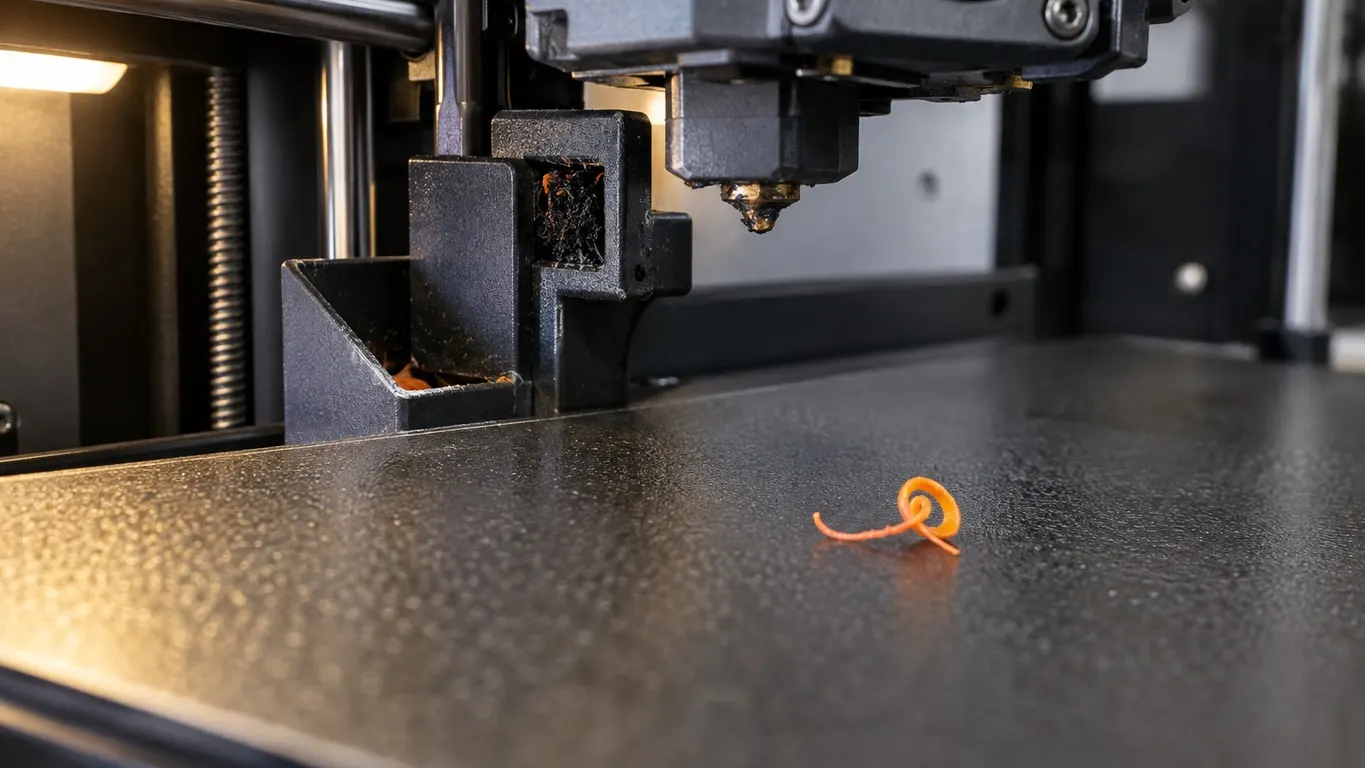
A scrap of filament from the last job drops onto the plate as a print begins, or drags through the first layer, and the Bambu Lab nozzle wiper looks like the obvious suspect. It is one of three. Every stock Bambu profile wipes the nozzle before a print; what differs between printers and profile versions is whether the nozzle was wiped at the end of the previous print. Bambu has not said that this is where the scrap comes from; it is simply the first thing worth checking. The P2S end code got G150.1, the command commented as a wipe, in April 2026; the P1S end code has had it since 2023, the X1C's since 2024 at the latest. The other two suspects: the wiper hardware, and plastic packed under the silicone sock where no wiper reaches.
Quick checks
- Open Machine gcode in printer settings and read the date on the second line of Machine end G-code. On a P2S, 2026/04/01 or later includes the wipe.
- Older date? Update Bambu Studio. A field you edited in your own preset keeps your text, untouched by updates.
- Look at the wiper. X1: deformed or cracked. A1: damaged bristles, bent metal strip. P2S: does the nozzle actually touch the pad?
- Clean the nozzle's outside and surroundings hot, with a damp heat-resistant sponge.
- Only then consider an end G-code wipe or a third-party wiper; neither is official.
What the end G-code does, and the P2S change
Every stock start G-code wipes. The X1 and P1 do it with plain G1 moves across the wiper at the back edge, the A1 and A1 mini across the wiper at the front edge of the bed; all of them then park the nozzle on bare steel at the back while it cools to 140 °C; the P2S and H2D call G150.1, commented "wipe mouth to avoid filament stick to heatbed", plus a hot G150 T wipe. The lines printed along the front of the plate are covered in calibration lines under your print. At the end of the print, the stock 0.4 mm profiles as of October 2026 do this:
| Printer | Wipe at end | End code dated |
|---|---|---|
| X1 Carbon, P1S | One pass from X65 to X100 at Y265 before the filament is pulled back to the AMS, and one after | X1C 2024/05/28, P1S 2023/04/28 |
| A1 | Three passes between X-28.5 and X-48.2 off the left edge during the pull-back; uncommented, but the start code calls the same X "wipe and shake" | 2026/05/13 |
| A1 mini | X0, X-13, X0; the last move is commented "wipe" | 2026/05/13 |
| P2S | G150.1 F8000 after the pull-back, then G150.3 | 2026/05/18 |
| H2D | G150.2 for each nozzle, then G150.3; no G150.1 | 2026/07/29 |
The X1, P1 and A1 rows are plain G1 lines whose coordinates say where the nozzle goes; the G-code explainer covers the letters. The P2S and H2D rows are G150 calls, one-line commands the firmware expands into motion, and the comments are the only description: "wipe mouth" on G150.1, "move to garbage can to wait for temp" on G150.3, none on G150.2.
Reports of filament dropping onto the P2S plate at print start line up with an older version of that row. Through the end code dated 2025/11/03, the P2S pulled the filament back, ran G150.2 and G150.3, and never called G150.1; the January and March 2026 texts were the same. What G150.2 does is undocumented, so I cannot say the old code never wiped, only that the commented wipe was missing. G150.1 F8000 after the pull-back, then G150.3, first appears in the text dated 2026/04/01, which reached the BambuStudio repository on GitHub in a profile sync dated April 13 and merged on April 15, 2026. Bambu has not tied the change to the complaint; the new code is not a promised fix, just the first date to check. One trap: a Machine end G-code field you once edited in your own preset is left alone by later releases; the new text arrives only through the system preset, your other changes redone on top. The page's location and the backup habit are in turning off flow calibration.
Adding the wipe yourself
Skip this on a P2S running the 2026/04/01 end code or later, and on any X1, P1 or A1: those end codes already wipe. If you are stuck on an older P2S profile, the edit people have made is small. Take the G150.1 line out of the start code, paste it into the end code right after the filament has been pulled back to the AMS, and follow it with G150.3. Some also add M106 P1 S255 near the top of the start code so the part fan blows strings off the nozzle before the first wipe; Bambu's own P2S start code does something similar, running that fan for five seconds after flow calibration, when calibration is enabled.
Two cautions. G150 is a firmware routine, not a G1 you can read, so where the head is and how high Z sits when it is called decide whether it clears the part and the wiper assembly; this has been tried on one P2S, not documented by Bambu. And there is no documented way to wipe every N layers mid-print: nothing says where G150 would take the head with a part on the plate.
Wiper not working? Check it by model: P2S, X1, A1, H2D
By model, from the wiki:
| Printer | Part | Bambu's replacement criteria |
|---|---|---|
| X1 series | Flexible wiper on one screw at the edge of the waste chute | Deformed or cracked |
| A1 | Silicone wiper with bristles plus a metal wiper on the bed, the silicone part on double-sided tape | Damaged bristles, bent metal, poor cleaning before the print, filament sticking to the tip during bed leveling |
| A1 mini | Same two parts, each on two screws; the silicone one comes out from under the bed | Same as the A1 |
| A1 series purge wiper | Metal flap at the chute | About 3 mm of clearance to the nozzle tip |
| P2S | Steel wiping plate behind the bed plus the purge wiper assembly with its silicone pad | On error 0300-4016, check the plate's bolts and shape, then tap ReCalibrate on the screen; a pad the nozzle cannot reach needs the Z calibration |
| H2D | Silicone pad on the purge wiper | A pad sitting too high hits the nozzle; it must be fully pressed into the orange holder |
No pad contact, no wipe, so the P2S purge position calibration page matters most. It opens with "purge offset or filament accumulation" as the symptom and calibrates three directions. Z first: fit the p2s_scrap_block.3mf block in place of the pad and raise the assembly until the block touches the nozzle. X uses offset G-code files from a USB drive. Y means loosening the four chute-cover screws, then the two screws under the wiper, and pushing the metal wiper forward. After an A1 wiper swap Bambu wants bed leveling and a washed PEI plate. A second X1 page covers the wipe area: clear filament scraps around it and the chute, and feel the pad for cracks.
Third-party wipers
Three parts come up. The Nozzle Wiper V3.4 on MakerWorld replaces the stock X1/P1 wiper with a bristle design borrowed from the A1 and needs no G-code change. BIQU sells a purge reliability kit for the P1 and X1 that does the same job. For the P2S there is a MakerWorld wiper that, on some printers, hit the bed until its owner trimmed 1 mm off it. None of the three is documented by Bambu, and there is no Bambu statement on warranty either way. Before you fit any of them, watch one start sequence and note where the nozzle travels during the wipe; a part sitting in that path gets hit.
Buildup around the nozzle and under the sock
Plastic that works its way under the silicone sock or behind the heater block is out of the wiper's reach, and it is what scrapes the first layers and jams a nozzle in place; a nozzle that refuses to come out cold has been reported to release once heated. Bambu's own method uses the heat-resistant sponge on the brush.3mf handle: wet it until damp but not dripping, set the hotend to the print temperature of the material you run, and wipe the outer wall of the nozzle and the area around it until the carbonized crust is gone. A reported alternative for a stuck nozzle: heat to 250 °C, wait a minute, let it cool to 80 °C, then grip the nozzle through a paper towel and pull it out, scraping it while still warm. One person's routine, and the burn risk is yours.
Removing the sock is no option on a P2S or H2 series printer: the wiki says clumping detection by probing, which taps the nozzle on the bed before layers 4, 11 and 20 and stops the print if the tip is wrapped in plastic, is unreliable without it. The checkbox is Enable clumping detection, in the Advanced group on the Others page of Process settings, off by default. Ticking it adds a 20-layer prime tower and takes a strip at the back of the bed out of the printable area; it does not run with By object sequencing or Spiral vase.
Wipe while retracting, under Retraction on the Extruder page of printer settings, is unrelated to the wiper: Bambu's machine profiles ship it on with Wipe Distance at 2 mm, so on every retraction the nozzle backs up 2 mm along the path just printed. Group location and the filament override: the TPU stringing article.