If Bambu Studio is not opening on your Mac, or it shows the splash screen and then vanishes, the cause is usually in one of three places: Gatekeeper, a known bug in the release you just installed, or a file in ~/Library/Application Support/BambuStudio that Studio reads at launch. Reinstalling only touches the app bundle. That last folder survives an uninstall, which is why a fresh copy of the app can crash exactly like the old one.
The short version:
- Check the GitHub release notes for your version. Known Mac startup bugs are often listed near the top.
- If macOS shows an alert, read it. The official package is signed, so there is nothing to bypass.
- Quit Studio completely and reset its data by renaming, never deleting: the
otacache first, then the conf file, then the whole folder. - Still failing? Grab the crash report from Console and file it.
Which failure you are looking at
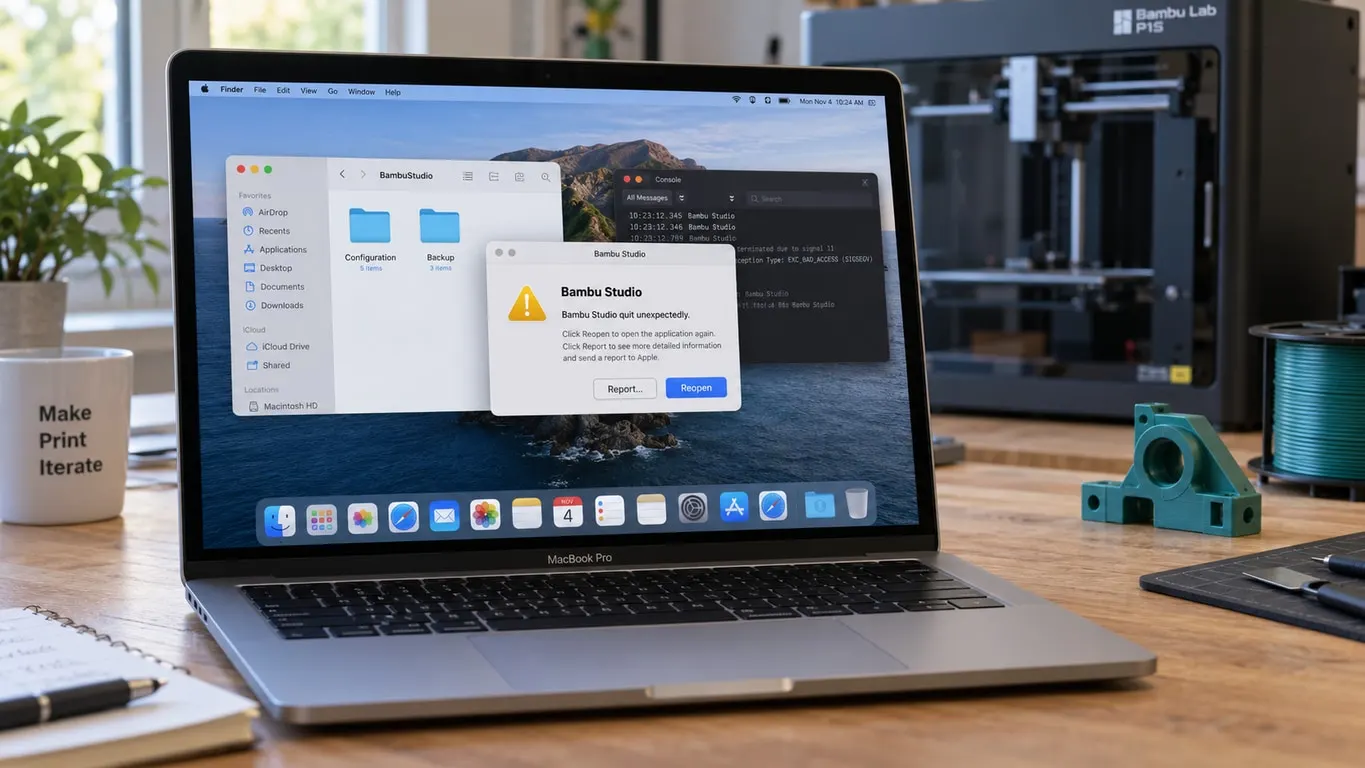
A Gatekeeper alert appears before Studio has run a single line of code. A crash is different: the window shows up, disappears within seconds, and macOS tells you Bambu Studio quit unexpectedly.
A hang is a third case. The window is there but nothing responds, the icon sits in the Dock, and the app may eventually recover or never does. Crashes and hangs leave different traces and usually have different causes, so it pays to know which one you have before you start renaming folders.
Gatekeeper alerts on the official build
The Mac package on Bambu's GitHub releases page is signed with an Apple Developer ID and notarized. On the 2.7.1.62 and 2.8.2.60 builds the signing identity is Shanghai Lunkuo Technology Co., Ltd. You can check your own copy in Terminal with spctl -a -vv /Applications/BambuStudio.app; a good build reports accepted and source=Notarized Developer ID. The command only reads; it changes nothing.
Per Apple's Gatekeeper documentation, an app from an identified developer downloaded outside the App Store normally gets just a one-time "are you sure you want to open it" prompt. The exception: if Privacy & Security in System Settings is set to allow apps from the App Store only, macOS won't open the official package either, and you need to allow identified developers as well.
A message that the app is damaged and can't be opened means macOS detected that the software was modified or damaged. With an official download that most likely points to an incomplete or corrupted file, and the fix is to download the .dmg again from GitHub or bambulab.com. The xattr quarantine trick that circulates online exists for unsigned apps. On a signed, notarized package it is unnecessary, and it does not repair a broken copy; it just silences the check. The same goes for Open Anyway under Privacy & Security: if macOS says the developer cannot be verified, the file you have is not Bambu's.
Crashing after an update: read the release notes
When Studio starts crashing on launch right after an update, the release itself is the first suspect.
In May 2024, version 1.9.1.66 crashed on launch across Macs. GitHub issue 4050 collected reports from Sonoma 14.x and Ventura 13.x on M1, M2 and M3 machines, plus a 2017 Intel MacBook Pro. A Bambu developer pointed to a badly formatted file cached in the ota folder inside the data directory, and a fixed Mac build, 1.9.1.67, followed on May 14, 2024.
June 2026 brought a new version of the same story. The 2.7.1 notes (June 1, 2026) listed a known issue on macOS 26.5 and 26.5.1: UI lag and steadily climbing memory after launch, sometimes ending in a crash. The notes said it appeared to be related to the built-in WebView initializing; Bambu confirmed that cause on June 4, and version 2.7.1.62 fixed it on June 16, 2026.
As of October 27, 2026, the current stable release is 2.8.2.61 (August 21, 2026) and the newest beta is 2.8.4 (September 22, 2026). The beta notes send anyone on macOS 26 or 27 who sees lag or freezing on the Device tab to a separate 2.8.4.61 Mac build on the same release page. There are no separate Intel and Apple Silicon downloads; every Mac package is universal and carries both. Recent release notes don't state a minimum macOS version. The last one that did was 1.1.0 on July 22, 2022, which said 10.15, and the build metadata in today's app still says 10.15 for Intel and 11.0 for Apple Silicon.
Reset Studio's data in stages
At launch Studio reads BambuStudio.conf, copies any network plugin waiting in ota into plugins and loads it, then loads presets from system and user. The ota folder is where Studio stages downloaded preset packs and plugin updates. A bad file anywhere in that chain can take the app down before a window appears. The release notes have examples: 2.2.1.60 (August 28, 2025) fixed a startup crash caused by a scarf seam parameter in some filament presets, and 2.8.0 Public Beta fixed Studio refusing to open after Alternate extra wall was enabled and the wall count changed and saved.
None of what follows deletes anything. Each stage is a rename you can reverse by renaming back, and each one throws away a little more than the last, so stop at the first one that gets Studio open. Quit Studio for real before you start (Option-Command-Esc if the Dock icon refuses to go away), then in Finder press Shift-Command-G for Go to Folder and paste ~/Library/Application Support/BambuStudio.
Stage one, the ota cache. If the crashes began with an update, rename ota to ota-backup and relaunch. That was the fix for the 2024 crash, and since it's only a download cache you lose nothing that won't come back.
On macOS 27.0.1, stop and check before stage two. On some 27.0.1 systems every screen Studio draws with WebView comes up blank: Home, the sign-in window, Device, and the Setup Wizard (GitHub issue 12575, opened October 11, 2026, still open, seen on 2.8.2.61 and 2.8.4.61). The investigation in that issue traced it to WebKit's GPU process stalling on an audio component at launch, and on October 13 Bambu said it is working on replacing WKWebView with CEF. If your Home screen is blank, skip stages two and three: both send Studio into the wizard, which on these systems is an empty window you can't close, and since sign-in is blank too your presets can't download from the cloud. Already tried it? Force quit, rename the freshly created file or folder out of the way, and give your backup its old name back; your old conf has your printers selected, so the wizard won't open. One workaround in the issue restarts the audio service with sudo, which we don't recommend. Another pre-fills the conf with plutil to skip the wizard, but even then Home, sign-in and Device stay blank, and only slicing works.
Stage two, the conf file. Rename just BambuStudio.conf to BambuStudio.conf.backup. Your presets and the network plugin stay where they are. What goes is everything the conf remembers: preferences, the recent projects list, which printer models are enabled, and the IP address and access code of each LAN printer. Studio greets you with the Setup Wizard.
Stage three, the whole folder. Rename BambuStudio to BambuStudio-backup, and Studio starts from an empty folder as if it had never run.
Bringing things back. If Studio opens after stage two or three, something in the backup is the culprit, so restore piece by piece. Signed-in users get their cloud-synced presets back by signing in with the same account; presets for non-Bambu printers don't sync. Everything else lives under user in the backup, in a folder named after your account number, or in user/default if you run in LAN mode without signing in. Copy the files from its filament, machine and process folders back one at a time and relaunch after each; if the crash returns, the last one you copied is the suspect. LAN printers have to be added again with their IP address and access code, and Studio will offer to download the network plugin again after stage three. Why presets go missing in the first place is in the missing presets article.
On Windows, Studio tries to restore an unreadable conf from a .bak copy, but in the source that step is compiled for Windows only. A Mac with an unreadable conf goes straight to the "configuration file read failed" error. That dialog and what the conf holds are covered in the Windows guide; on a Mac the path is different and there is no .bak safety net. If you also run the beta, it keeps a separate BambuStudioBeta folder; keeping the two apart is covered in beta and stable side by side.
Hanging at launch instead of crashing
A hang usually comes down to one of three questions: how you launched Studio, where your projects live, and what you switched on recently.
How you launched it. On an Intel MacBook Pro running macOS 26.6.2 and 26.7.1, Studio started from the Dock sits on its splash screen until you move the mouse or press a key, yet starts instantly from the Applications folder or with open -a BambuStudio in Terminal. That's GitHub issue 12114. It is still open, but on October 9, 2026 Bambu said it had fixed the bug and the fix would ship in the next release. Until then, launch it some other way.
Where your projects live. Studio builds thumbnails for its Recent projects list during startup, and it reads each 3MF to do it. With Optimize Mac Storage turned on, iCloud Drive may have offloaded some of those files, and Studio then waits while macOS downloads them. Issue 12459 tracks this. It was opened on October 3, 2026 against macOS 27.0 and 2.8.2.61, has since been reproduced on 27.0.1 and 2.8.4.57, and Bambu says it is moving the thumbnail work off the UI thread. The quick fix is to make the files local again: click iCloud Drive in the Finder sidebar, Control-click your projects folder, and choose Keep Downloaded. The person who reported it took a different route, backing up BambuStudio.conf and emptying just the "recent_projects" section to {}, and kept their preferences and sign-in.
What you turned on. The Filament Manager checkbox arrived in Preferences with 2.7.1.62 and is off by default on macOS, because on some systems it can leave the app unresponsive. If you enabled it and the hangs started afterward, that's your first suspect. Preferences is in the app menu on a Mac (Command-comma); turn the box off and restart Studio.
What rolling back costs you
Old builds stay on the GitHub releases page, and the sensible place to land is 2.6.0, the release Bambu itself pointed affected Mac users to in June 2026. Going further back runs into two walls.
The first is authorization. On January 16, 2025, Bambu announced an authorization system for X1 series firmware 01.08.03.00 and later, requiring Bambu Studio 1.10.2.64 or newer, with the P and A series to follow in later firmware. That 1.10.2.64 build was a public beta from January 9, 2025; the first stable release on that line is 1.10.2.76 from February 25, 2025. The Bambu wiki page HMS_0500-0500-0001-0007: MQTT Command verification failed, please update Studio or Handy. gives the same floor. In one case from June 2025, dropping back to 1.9.1.67 got the app open, but a job sent to an A1 never arrived and that error appeared instead.
The second is your printer. Older releases don't know about newer models: A2L support only arrived with 2.7.1, so on an A2L even 2.6.0 is too old. Whatever printer you own, the release that added it is as far back as you can go.
Studio also checks the network plugin's version against its own at launch and asks to update the plugin when they don't match; what that plugin does is in the network plugin article. A 3MF saved in a newer release may not load fully in an older one either, and Studio says so when you open it.
Finding the crash report and filing it
The fastest route to a fix is a good bug report, and Studio links straight to one: Help > Report issue opens a new GitHub issue. The template asks for two things on a crash, Studio's log folder and the macOS crash report, plus a profile from the macOS sample tool if the problem is lag rather than a crash.
The log folder is easy if Studio opens at all, via Help > Show Configuration Folder. If it won't open, go straight to ~/Library/Application Support/BambuStudio/log.
The crash report comes from macOS itself. In Console, the Crash Reports group in the sidebar holds .ips files, and the same files sit in ~/Library/Logs/DiagnosticReports. A hang is handled differently: per the Bambu wiki, force quit first so macOS writes a diagnostic report, then look under Diagnostic Reports for the .diag file.
Don't throw away the renamed backup folder until you're done. Its log folder holds the logs from before the reset.